I got a long password with a passphrase that contains some numbers. So when I type in my password, I instinctively use to type it in. Guess what? Kali Linux doesn’t enable by default on startup. So I press Enter and it says I entered wrong password. This was one of those annoying thing and I didn’t wanted to waste my precious energy pressing that 1 single button. ermmm.. I think I will stop sooking now and write about how to enable NumLock on Startup in Kali Linux.
There’s two different ways you can do it. Both involves one VERY Important step. Enable your NumLock manually for the first time.
Using dConf Editor GUI
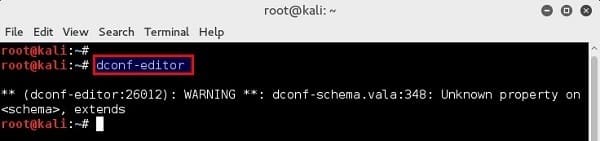
So now that you have your enabled, type in the following in terminal:
And you should see open.
In , browse to > > > >
Then simply tick the box that says “”
One thing to note here, in that “” should be “” state.
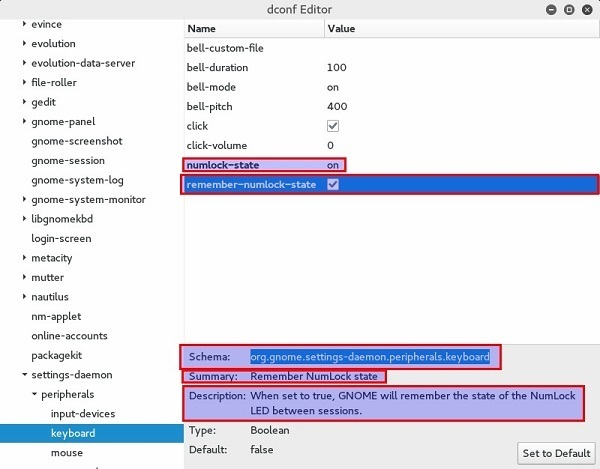
That’s it. Simply close and to check whether it worked for you.
Using command line
This is Linux, so of course you can simply type in a simple command to make it work. But remember that important step I said, Enable your NumLock manually for the first time.
Then simply open Terminal and type in the following command:

Press enter and bobs your Uncle. to confirm.


ليست هناك تعليقات:
إرسال تعليق